How to Track Child-Related Expenses After Divorce
Tracking child-related expenses after a divorce helps you stay organized, avoid conflicts, and protect yourself legally. Here’s how you can make it work:
- Why It Matters: Clear records prevent disputes, save money on legal fees, and ensure children get the support they need.
- What to Track: Expenses like medical bills, childcare, education, extracurricular activities, and optional costs (e.g., prom or sports fees).
- How to Do It:
- Define Categories: Agree on shared expenses and how to split them.
- Choose a Tool: Use a shared spreadsheet or co-parenting app for tracking.
- Document Everything: Snap photos of receipts and log details immediately.
- Settle Monthly: Review balances and reimburse regularly.
- Handle Disputes: Refer to your agreement to resolve disagreements.
Tools to Consider:
- Spreadsheets: Free but manual.
- Apps: Automate tracking and include features like receipt storage and per-child splits.
- Platforms like Coflo: Combine custody and expense tracking in one place.
Consistency is key. Keep receipts, track expenses in real-time, and communicate clearly to reduce stress and focus on your child’s well-being.
Types of Child-Related Expenses to Track
Keeping track of expenses not covered by child support is crucial for avoiding conflicts and ensuring clarity around shared costs. Properly categorizing these expenses sets the stage for a smooth tracking system.
Basic Expenses
Basic expenses cover a range of necessities such as medical and dental care (including insurance premiums, copayments, prescriptions, and orthodontics), childcare (like daycare, after-school programs, and summer camps), education (fees, textbooks, and tutoring), and everyday essentials (clothing, personal care items, transportation, and technology). While child support typically addresses core needs like housing, utilities, and food, many additional costs require contributions from both parents.
"Child support payments cover the fundamentals - food, clothing, housing, gas, utilities." - Elizabeth Burchell, Family Attorney
Extracurricular and Optional Expenses
Other expenses, often tied to extracurricular activities, go beyond basic needs and require agreement between parents. These include costs for sports leagues, music lessons, dance classes, equipment, uniforms, and club fees. Additionally, larger expenses like prom, graduation fees, senior trips, or even a first car fall into this category.
The important thing to note here is that these expenses aren't automatically covered. They either need to be agreed upon by both parents or clearly outlined in the parenting plan or custody schedule.
"These gaps in detail are where conflict is born. Uniforms for school sports or rentals for musical instruments are other aspects that require clear agreement." - Elizabeth Burchell, Family Attorney
sbb-itb-a09457a
How to Track Child-Related Expenses: Step-by-Step
Setting up a system to track child-related expenses doesn't have to be overwhelming. The trick is to establish clear rules upfront and pick tools that work well for your co-parenting situation. Here's a straightforward guide to help you create a system that reduces conflict and ensures accountability for both parents.
Step 1: Define Expense Categories and Split Responsibilities
Start by agreeing on which expenses will be shared. The more specific you are now, the fewer disagreements you'll face later. For instance, decide whether "educational expenses" include things like yearbook photos, field trip fees, or even musical instrument rentals.
Many parents divide costs based on their incomes. For example, if one parent earns $80,000 and the other earns $40,000, splitting expenses 67/33 might feel more equitable than a straight 50/50 split. Whatever you decide, document it in your age-specific parenting plan, along with the categories of shared expenses - such as medical copays, tutoring, sports equipment, childcare, or technology purchases. Don't forget to account for future costs like braces or prom expenses.
Step 2: Choose Your Tracking Method
Pick a method that works for both of you. A shared Google Sheet or Excel file can work if you're both committed to manually updating it. However, digital tools designed for co-parents can make things easier by automating calculations, showing real-time balances, and reducing "you owe me" arguments.
Look for features that suit your situation, like per-child tracking (helpful if one child has unique expenses), custody calendar integration (to note which parent incurred the cost), or access to records for mediation or legal use. The best tool will depend on how well you communicate and the level of conflict in your co-parenting arrangement. Once you've chosen a method, you're ready to streamline the process of managing expenses.
Step 3: Set Up Digital Expense Tracking in Coflo

Coflo, an AI-powered co-parenting app, is a useful tool for managing custody schedules and is expanding to include expense tracking and reimbursement features. This app will allow you to handle parenting time and shared costs in one place. Plus, it prioritizes security with end-to-end encryption and client-side processing to protect your financial data.
Step 4: Record Expenses and Upload Receipts
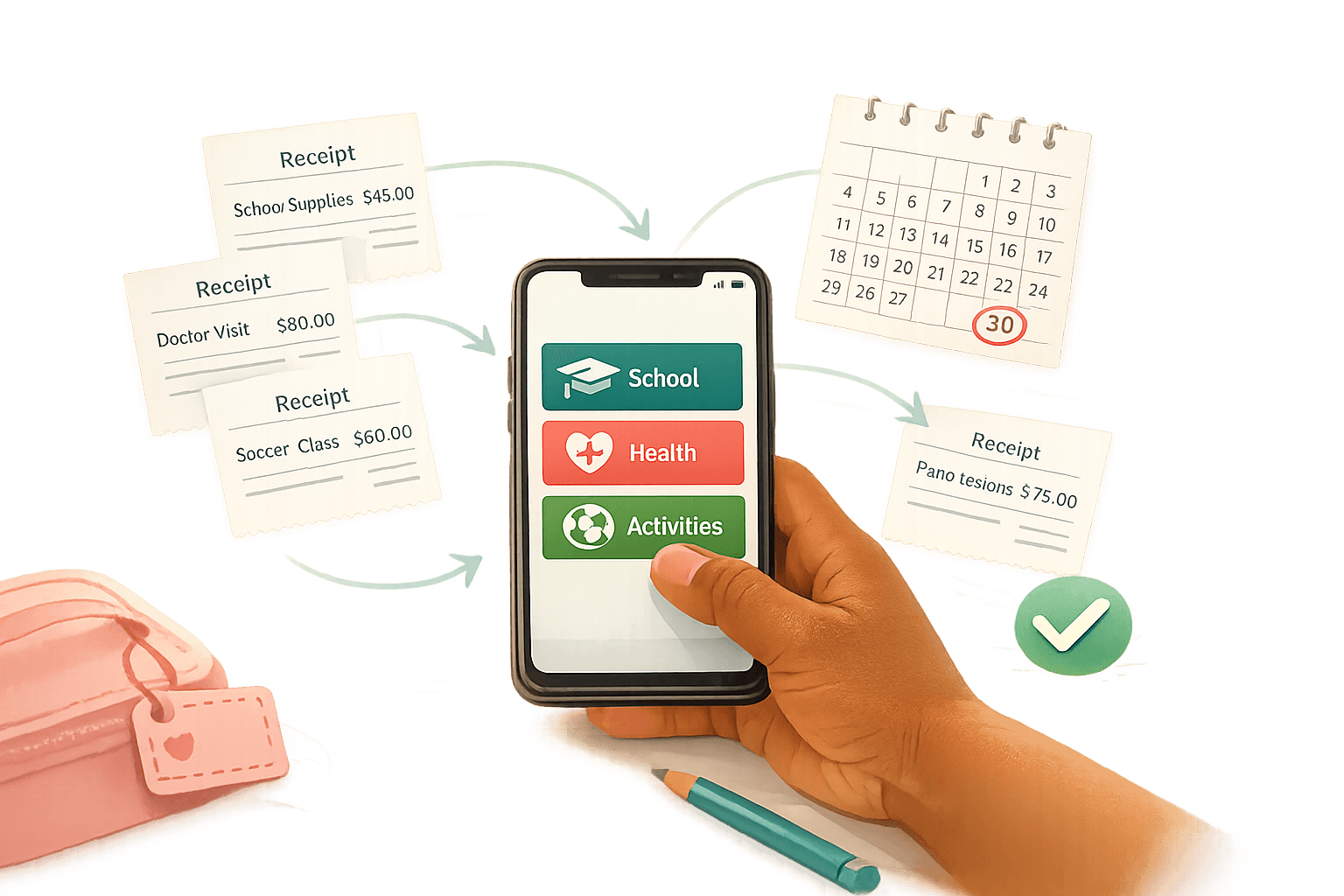
Be diligent about documenting expenses as they happen. Snap a photo of receipts right away to ensure you have a clear record. Make sure the image includes the store name, date, items, and total.
"Memory loses in court. Documentation wins." – DivKids Blog
If you lose a receipt, log the expense immediately and include a screenshot of the bank transaction as proof. Tag expenses to the appropriate child if you're tracking costs for multiple kids, and add a brief description (e.g., "Soccer cleats – fall season" instead of just "shoes"). This level of detail helps prevent confusion during reviews and builds trust between co-parents. Once everything is recorded, you're ready to handle reimbursements.
Step 5: Handle Reimbursements and Resolve Disputes
Set a payment schedule in your parenting plan - monthly settlements often work well. At the end of each month, review the balance and have the parent who spent less send a reimbursement. Digital payment methods like Venmo, Zelle, or direct bank transfers create a clear paper trail.
If disagreements arise about whether an expense qualifies as shared, refer back to your original agreement. Ask whether both parents approved the expense and if it fits within the agreed categories. Treating the financial side of co-parenting like a business arrangement focused on your child's needs can help keep personal issues from interfering. A detailed expense record simplifies disputes and provides solid documentation for mediation or legal proceedings if necessary. This approach not only ensures fairness but also reinforces a sense of accountability that benefits everyone involved.
Expense Tracking Methods Compared
Co-Parenting Expense Tracking Methods Comparison Chart
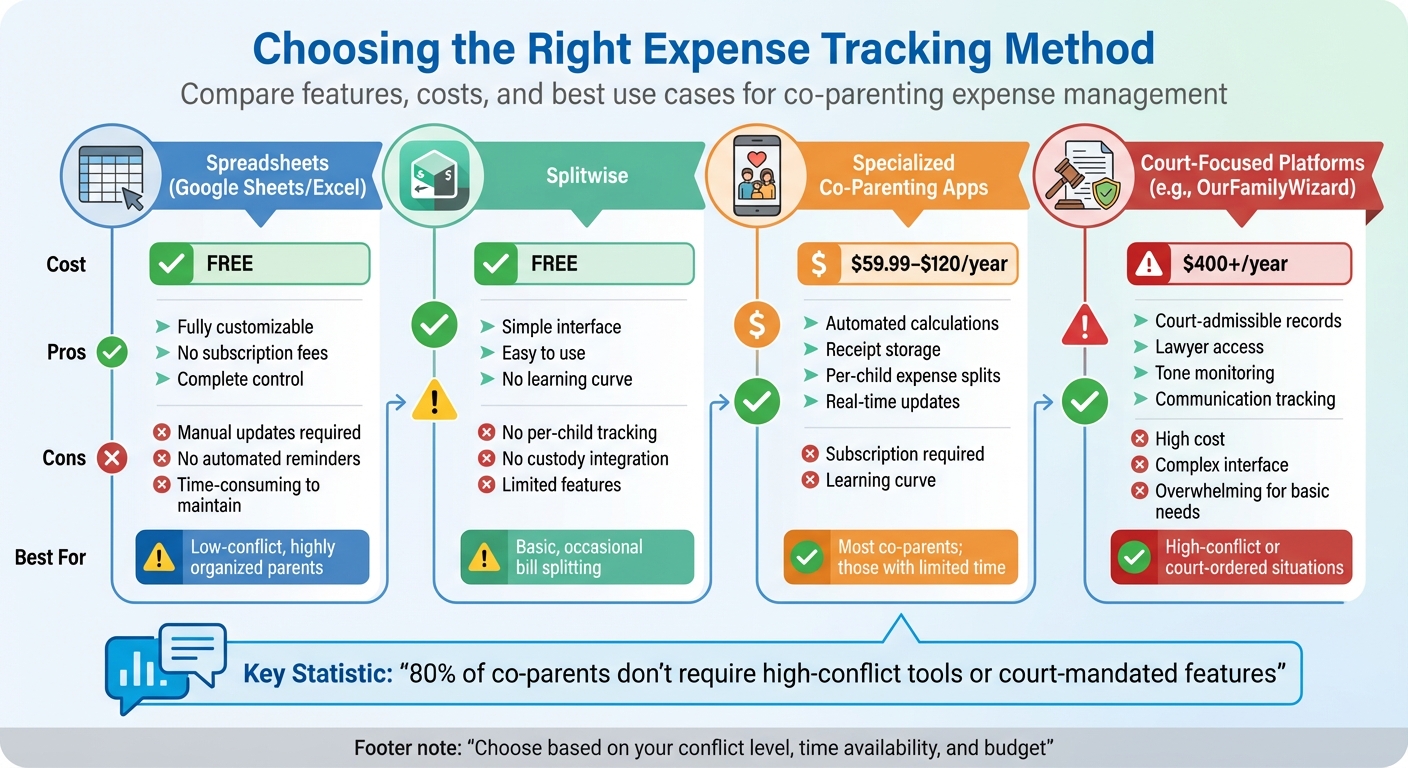
When it comes to tracking shared expenses, the right method depends on your unique situation - how much time you can dedicate, the level of communication needed, and any specific record-keeping requirements. Interestingly, about 80% of co-parents don't deal with high-conflict dynamics or require court-mandated tools like unchangeable messaging features. For most families, the main goal is straightforward: log expenses, understand what’s owed, and settle up easily.
Each method has its strengths and drawbacks, as highlighted in the comparison table below:
Spreadsheets stand out for being free and adaptable, but they demand manual updates and don’t offer automated reminders. This often makes them too tedious to maintain, with many co-parents abandoning them within weeks. Splitwise, while simple and free, lacks features like per-child tracking or custody-related integrations. On the other hand, specialized co-parenting apps excel with automated calculations, receipt storage, and per-child expense splits, though they come with a subscription fee. For high-conflict situations, platforms like OurFamilyWizard offer court-admissible records and communication monitoring, but their high costs and complex interfaces can be overwhelming for parents who just need basic tools.
"The money saved on subscription costs gets offset by the time spent manually managing what purpose-built tools automate." – Alisher Khakimov, Founder, CoParentSplit
Comparison Table
| Tracking Method | Pros | Cons | Best For |
|---|---|---|---|
| Spreadsheets | Free and customizable | Requires manual updates and lacks notifications | Low-conflict, highly organized parents |
| Splitwise | Simple, free interface | Lacks per-child tracking and custody integration | Basic, occasional bill splitting |
| Specialized Co-Parenting Apps | Automated balance calculations, receipt storage, per-child splits | Subscription required ($59.99–$120/year) | Most co-parents; those with limited time |
| Court-Focused Platforms | Court-admissible records, lawyer access, tone monitoring | High cost ($400+/year) and complex interface | High-conflict or court-ordered situations |
| Coflo (Future) | Integrated with custody tools, AI insights, privacy-first design | Feature in development | Comprehensive co-parenting management |
Coflo is gearing up to offer expense tracking and reimbursement features, combining parenting time management with shared expense tracking in one secure platform. This streamlined approach reduces the need for multiple apps, providing a single, reliable source for managing co-parenting responsibilities. Whether you need something basic or a more advanced solution, choosing the right tool can make expense tracking simpler and less stressful.
Best Practices for Managing Child Expenses
Setting up a system to track child-related expenses is only the beginning. The real challenge lies in maintaining it effectively while avoiding unnecessary tension. Think of it as managing a household budget rather than navigating constant disputes.
Keep Communication Clear
A shared digital expense log can make a world of difference, offering real-time visibility into balances. Categorize expenses based on mutually agreed terms, ensuring they align with your divorce agreement.
"Any system is better than trading receipts over text messages and arguing about who paid for what last month." – Alisher Khakimov, Founder of CoParentSplit
For high-conflict situations, consider platforms that create uneditable, court-admissible records of all communications. Some tools even include features like tone analysis to flag potentially hostile language before messages are sent, helping to keep conversations civil.
Review and Adjust Your System Regularly
Take time to review monthly summaries to identify spending trends. Exporting detailed PDF reports by child and expense type can replace subjective arguments with clear, factual data. Adjust your system as needed when major changes occur - like the end of daycare, the start of new expenses (think braces or sports fees), or significant shifts in either parent's financial situation, such as a job loss or income increase.
"A forward-thinking plan is paramount to avoid contentious disputes over financial responsibilities." – Elizabeth Burchell, Family Attorney
Consistency is key. Keeping records for six to 12 months can help you spot patterns and provide evidence if legal documentation is ever required. Digital tools can simplify this process and make it less time-consuming.
Use Technology to Simplify the Process
Digital tools can handle the math for you, providing real-time updates and reducing confusion. Opt for apps designed specifically for co-parenting; they often include features like per-child tracking or integration with custody schedules - things generic apps might lack. These tools save time and reduce the risk of errors.
Coflo, for example, is working on expense tracking and reimbursement features that integrate with custody tools on a secure platform. This kind of integration eliminates the need to juggle multiple apps, making it easier to keep everything organized. Even in low-conflict situations, documenting every payment and bill in an app can help avoid future misunderstandings.
Conclusion
Managing expenses after divorce doesn't have to feel overwhelming. By sticking to a clear, organized process and using AI tools for custody planning, you can make expense tracking much easier. Keep receipts, categorize expenses properly, and maintain open communication - this helps establish trust and ensures fairness, which is especially important for your children. Most co-parents just need a dependable system to keep everything on track.
A well-organized approach can shift the focus from emotional disputes to a practical, business-like arrangement centered on your child's needs. As family attorney Elizabeth Burchell explains: "Clear records of bills and payment proof resolve financial disputes". Keeping accurate records removes uncertainty and helps reduce conflict.
Modern co-parenting tools can streamline this process by automating calculations, securely storing receipts, and generating reports that are ready for legal use. These tools also keep both parents informed in real time. For example, Coflo is working on integrating expense tracking and reimbursement features with its custody planning tools, offering a seamless way to manage finances while prioritizing decisions about your child.
Pick a system that works best for your situation, whether it's a basic shared spreadsheet or a specialized app. The key is to stay consistent: record expenses as they happen, organize receipts, and review your records regularly. This way, you'll spend less time on financial disagreements and more time focusing on what truly matters - raising happy, healthy kids.